
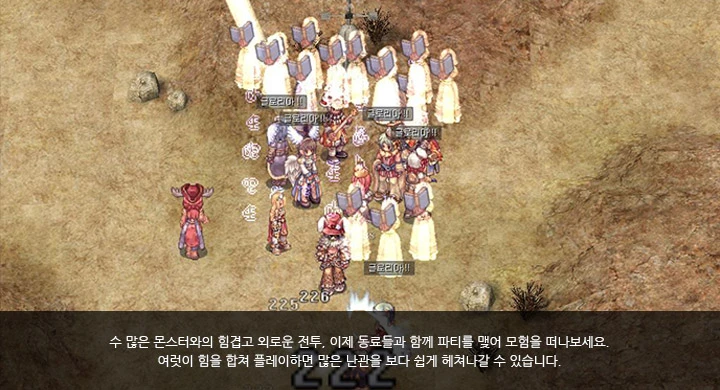
After many arduous and lonely battles against countless monsters, now set out on an adventure together with your companions by forming a party.
When you play together, combining your strength with others, you can overcome many hardships more easily.
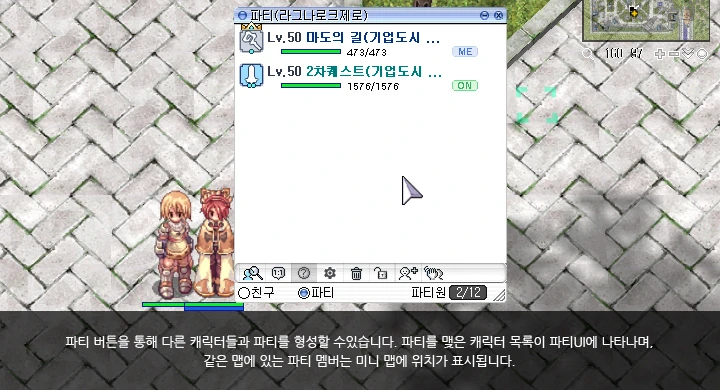
Party (Ragnarok Zero)
Lv.50 Path of Magic (Corporate City ... 473/473 [ME]
Lv.50 2nd Job Quest (Corporate City ... 1576/1576 [ON]
○Friends ●Party Party Members 2/12
You can form a party with other characters using the Party button. The list of characters you've partied with will appear in the Party UI, and party members on the same map will have their positions displayed on the mini-map.
Checking Party Member Information
Through the Party UI, you can check party members' class, level, death status, connection status, and even their location.
- Class-specific icons
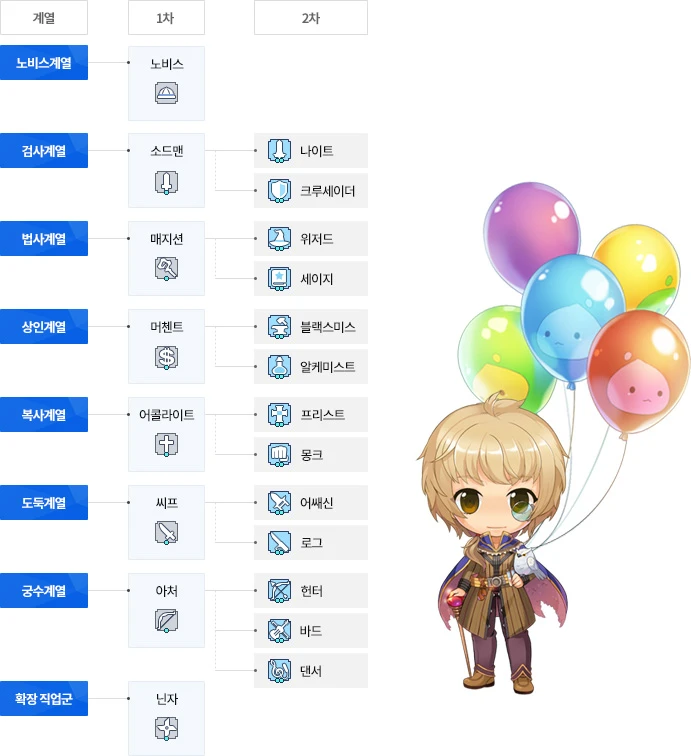
| Class Group | 1st Job | 2nd Job |
|---|---|---|
| Novice Group | Novice | |
| Swordman Group | Swordman | Knight |
| Crusader | ||
| Magician Group | Magician | Wizard |
| Sage | ||
| Merchant Group | Merchant | Blacksmith |
| Alchemist | ||
| Acolyte Group | Acolyte | Priest |
| Monk | ||
| Thief Group | Thief | Assassin |
| Rogue | ||
| Archer Group | Archer | Hunter |
| Bard | ||
| Dancer | ||
| Extended Job Group | Ninja |
Mini Party Window
Through the simplified Party UI, you can quickly manage your party and use skills.
Party Settings
Through Party Settings, you can configure how experience and item distribution and collection methods are set. Experience distribution only occurs among party members who are on the same map, and characters who died in battle or are not connected to the game are excluded from experience distribution.
※ The information on this website may be subject to change according to game updates.